

As a supplier of the EBE500 Steel Shot Blaster, I am often asked about how to program its automatic control system. In this blog post, I will share some insights and steps on programming the automatic control system of the EBE500 Steel Shot Blaster, which can help you optimize the performance of this powerful machine.
Understanding the EBE500 Steel Shot Blaster
Before delving into the programming details, it is essential to understand the basic functions and components of the EBE500 Steel Shot Blaster. The Steel Shot Blaster is a high - efficiency machine designed for surface treatment of various steel structures. It uses high - speed steel shots to remove rust, scale, and other contaminants from the steel surface, providing a clean and rough surface for subsequent coating or painting processes.
The automatic control system of the EBE500 Steel Shot Blaster is responsible for coordinating the operation of different components, such as the shot blasting wheel, conveyor system, dust collector, and control valves. By programming this system, you can achieve precise control over the blasting process, including the speed of the conveyor, the intensity of shot blasting, and the duration of the operation.
Pre - programming Preparations
- Familiarize with the Machine Manual: The first step is to thoroughly read the machine manual of the EBE500 Steel Shot Blaster. The manual contains detailed information about the machine's electrical system, control components, and programming interfaces. It will also provide safety guidelines and recommended operating parameters.
- Understand the Control Requirements: Determine the specific requirements of your blasting process. For example, you may need to adjust the blasting intensity according to the thickness and hardness of the steel workpiece. You also need to consider the production volume and the desired surface quality.
- Gather Programming Tools: You will need a programming device, such as a PLC (Programmable Logic Controller) programmer or a laptop with the appropriate programming software. Make sure the programming device is compatible with the control system of the EBE500 Steel Shot Blaster.
Programming Steps
1. Initialization and System Setup
- Power On and Check: Power on the EBE500 Steel Shot Blaster and the control system. Check if all components are functioning properly and if there are any error messages on the control panel.
- Set the Basic Parameters: Use the programming device to set the basic parameters of the control system, such as the operating voltage, frequency, and communication settings. These parameters ensure the proper communication between different components of the machine.
2. Define the Operating Modes
- Manual Mode: In manual mode, the operator can control each component of the machine independently. This mode is useful for testing and debugging the machine, as well as for performing maintenance tasks.
- Automatic Mode: In automatic mode, the machine operates according to the pre - programmed sequence. You need to define the sequence of operations, including the start and stop of the shot blasting wheel, the movement of the conveyor, and the activation of the dust collector.
3. Program the Conveyor System
- Speed Control: Determine the appropriate speed of the conveyor according to the size and weight of the steel workpiece. You can use the programming device to set the conveyor speed as a fixed value or adjust it dynamically based on other parameters, such as the shot blasting intensity.
- Positioning Control: If the machine has a multi - station conveyor system, you need to program the positioning of the conveyor to ensure that the workpiece is accurately positioned under the shot blasting wheel.
4. Program the Shot Blasting Wheel
- Intensity Control: The intensity of shot blasting is determined by the speed of the shot blasting wheel and the amount of steel shots fed into the wheel. You can program the control system to adjust these parameters based on the requirements of the surface treatment.
- Start and Stop Sequence: Define the start and stop sequence of the shot blasting wheel to ensure a smooth and safe operation. For example, you may need to start the dust collector before starting the shot blasting wheel to prevent dust from spreading.
5. Program the Dust Collector
- Operation Time: Set the operation time of the dust collector to ensure effective dust collection during the shot blasting process. You can program the dust collector to start a few seconds before the shot blasting wheel and stop a few seconds after the shot blasting wheel stops.
- Filter Cleaning: If the dust collector has a filter cleaning function, you need to program the frequency and duration of the filter cleaning process to maintain the efficiency of the dust collector.
6. Error Handling and Safety Programming
- Error Detection: Program the control system to detect common errors, such as over - current, over - temperature, and abnormal sensor readings. When an error occurs, the control system should stop the machine immediately and display an error message on the control panel.
- Safety Interlocks: Implement safety interlocks to prevent the machine from operating under unsafe conditions. For example, you can install emergency stop buttons and door interlocks to ensure that the machine stops immediately when the operator opens the access door.
Testing and Optimization
After programming the automatic control system of the EBE500 Steel Shot Blaster, it is necessary to conduct thorough testing to ensure the proper operation of the machine.
- Initial Testing: Start the machine in manual mode and test each component separately to ensure that they are functioning properly. Check the operation of the shot blasting wheel, conveyor system, dust collector, and control valves.
- Automatic Mode Testing: Once all components are working properly in manual mode, switch to automatic mode and run the machine for a few cycles. Monitor the operation of the machine and check if the programmed sequence is executed correctly.
- Optimization: Based on the test results, you may need to optimize the programming parameters to improve the performance of the machine. For example, you can adjust the shot blasting intensity, conveyor speed, and dust collector operation time to achieve better surface quality and higher production efficiency.
Other Related Shot Blasting Machines
In addition to the EBE500 Steel Shot Blaster, we also supply other types of shot blasting machines, such as the Mark Line Blasting Machine Mark Line Shot Blaster and the 24 Month Warranty CE/ISO9001 Approval Asphalt Shot Blaster. These machines have different features and applications, and you can choose the most suitable one according to your specific needs.
Conclusion
Programming the automatic control system of the EBE500 Steel Shot Blaster requires a good understanding of the machine's functions and components, as well as the basic principles of programming. By following the steps outlined in this blog post, you can successfully program the control system to achieve precise control over the shot blasting process and improve the performance of the machine.
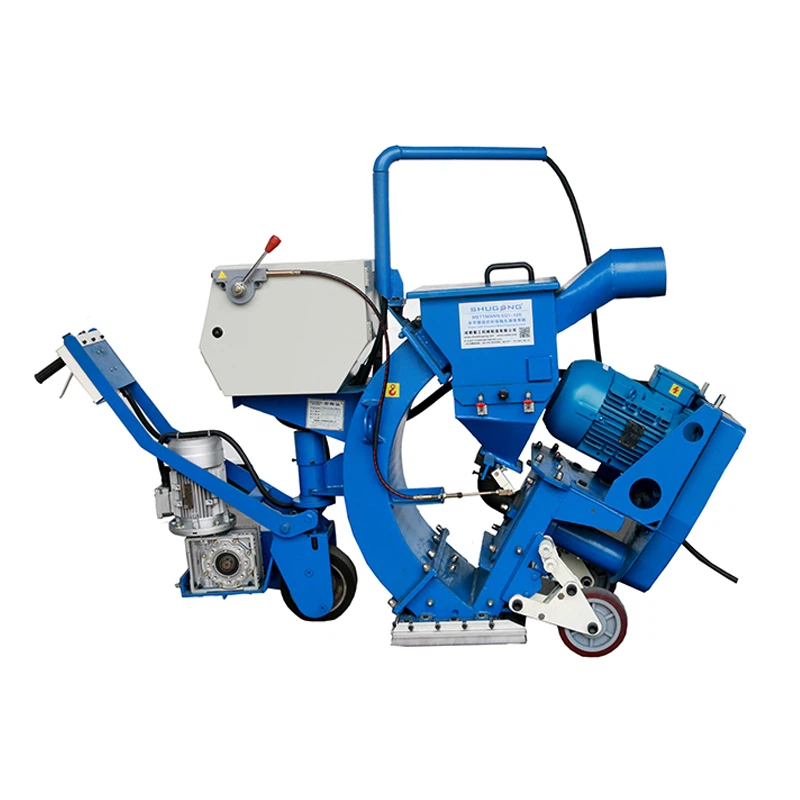
If you are interested in our EBE500 Steel Shot Blaster or other shot blasting machines, please feel free to contact us for more information and to start a procurement negotiation. We are committed to providing high - quality products and excellent after - sales service to meet your needs.
References
- Manufacturer's Manual of EBE500 Steel Shot Blaster
- PLC Programming Guides
- Industrial Automation and Control Textbooks
